
What Are MyUSU Communities?
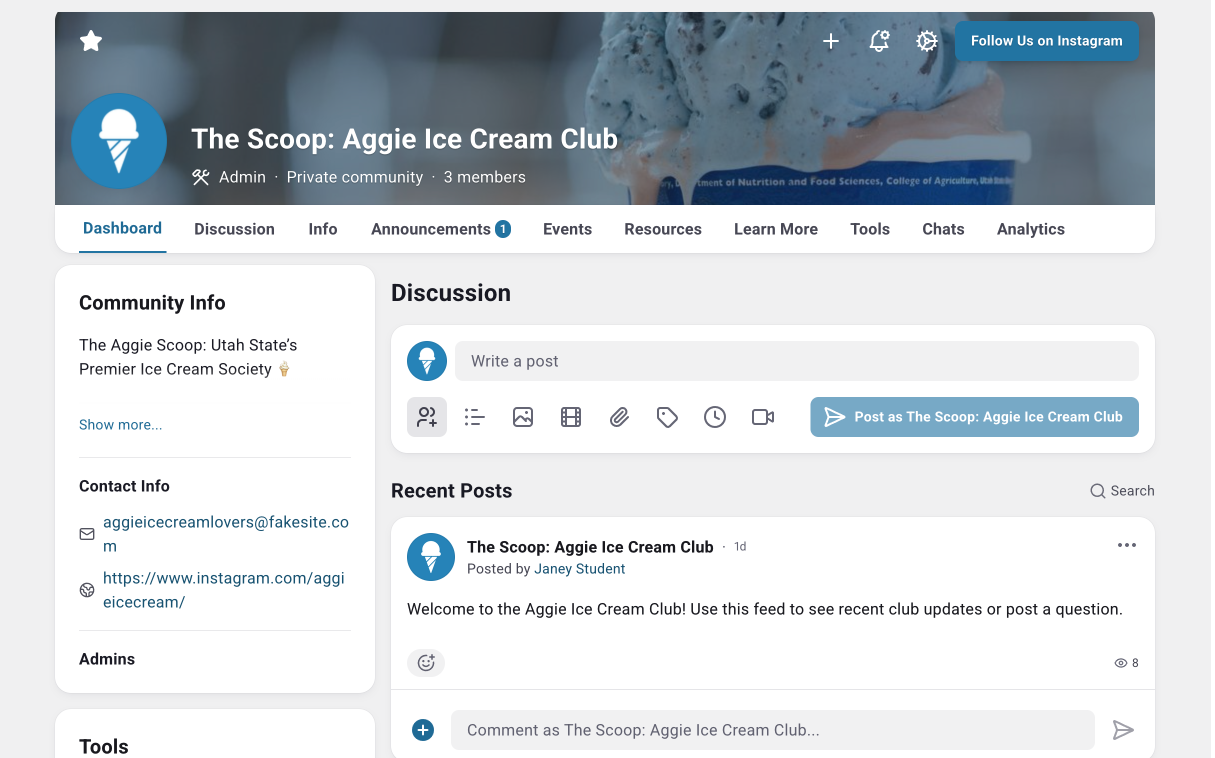
MyUSU Communities (formerly called Groups) are centralized digital hubs tailored to specific organizations, clubs, or programs. Think of it as a "mini MyUSU" for your group. It’s a dedicated space where members can access resources, complete tasks, find key information, and connect with peers and leadership. Any USU entity can request a Community.
Access Community Admin Resources
- Email Calissa.Chandler@usu.edu to request a new community
-
Community Admin Hub
Stay in the loop on MyUSU platform updates, access resources, and connect with other community admins. (Only available to Staff & Faculty) -
Community Admins Guide
This comprehensive guide will walk you through all your community settings and features, as well as best practices and policies -
Community Admin Training (15min)
This training will walk you through basic community settings, as well as accessibility and management guidelines. All new admins are required to complete this training -
MyUSU Team Support
Reach out anytime at myusu@usu.edu
Benefit of Communities
Built into the MyUSU System
MyUSU boasts near-universal adoption among Utah State students (95%). This ensures your message reaches the Aggie community you care about, directly within their existing university accounts.
More Features
MyUSU goes beyond basic communication tools. Features like event attendance tracking, file sharing, integration with Utah State's directory for accurate member roles, and dedicated admin resources empower you to manage your community efficiently.
Be Part of the Digital Hub
MyUSU is the go-to destination for students looking for campus resources and organizations. By starting a community, you make it easy for students to find your group while helping build a more valuable, connected platform for everyone.
Common Types of Communitites
Whatever community you are wanting to put together, we have a spot for you. Common types of communities include:
Specific Colleges & Academic Programs
Clubs & Student Organizations
Support for Faculty & Instructors
Internal Staff Communications
Student Services
University Statewide Campuses
How Community Engagement Works
Finding Communities to Join
Users can find communities to join by exploring the "Communities" tab on their LHM or by searching for specific groups in the search bar. Suggested communities are based on the following criteria:
- Community tags match a hobby/interest or skill listed in the users profile
- A connection is a member of the community
- Community is part of a category visible to them and their audience type
Auto-Assigning Community Members
Several MyUSU communities have auto-assigned membership, meaning users are automatically added as a community member based on banner identifiers. Common examples:
- Specific Degrees: All students enrolled in certain courses or with a specific major are added to the community
- Specific Organizations or Programs: All users enrolled in the program are auto added via a role or CSV roster
To request a role for your community, please contact calissa.chandler@usu.edu
Community Notifications
MyUSU users receive system notifications through three channels:
MyUSU Notification Center
Notifications are added directly to the user's in-app notification center, which can be accessed at any time by clicking the Bell Icon in the top-right corner of the MyUSU dashboard.
Push Notifications
If a user has downloaded the mobile MyUSU app, they will receive real-time push notifications sent directly to their smartphone or tablet.
Email Notifications
Users will receive notifications sent directly to their university email address.
- By default, MyUSU bundles all of a user's daily email notifications into a single digest email sent once a day.
Start a MyUSU Community
Ready to start your own community? Feel free to reach out to the MyUSU team with any requests or questions.
Calissa Chandler | MyUSU Manager
calissa.chandler@usu.edu
435-797-3012
MyUSU Team
myusu@usu.edu